Working on a WordPress Site
Lately, I’ve been working on a WordPress (plus WooCommerce) site for my employer: Shur-loc Fabric System. This is the first time I’ve worked on a WordPress site in my professional life, and I’ve learned quite a bit.
WordPress Lifecycle
One of the main things to know about WordPress is the extensive hook system. Basically, this is how you get anything done in terms of customizing WordPress. There is a hook for every part of the WordPress lifecycle, including internal file loading and HTML rendering, to name a couple. Plugins can also add their own hooks to extend lifecycle management.
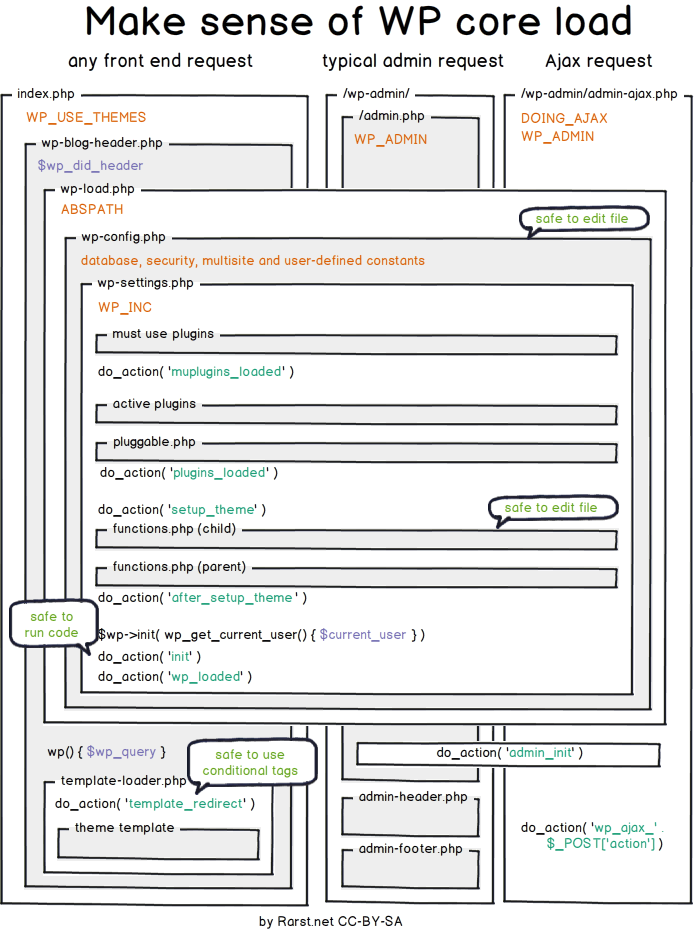
Image Credit: Tom McFarlin
There are two basic hook functions you can call:
add_action(): Actions are the hooks that the WordPress core launches at specific points during execution. This function attaches a custom callback function to a specific action hook, executing code at predefined points during the WordPress lifecycle.
add_filter(): This hook allows plugins to modify various types of internal data at runtime. It hooks a custom callback function to a specific filter hook, allowing you to intercept and modify data before it is saved to the database or displayed on the screen.
Using these functions, it’s possible to customize just about anything on the WordPress site.
Code Snippets
So where do you put these customizations? One possibility is to put them in the
functions.php file
for your currently selected theme. While this works, if your customizations are
more general in nature, it’s not ideal because WordPress will only load the
functions.php for the currently selected theme, so if you change themes or
WordPress
falls back to a default theme
the customizations will not load.
Another possibility is to use a plugin like Code Snippets. This is a fantastic plugin that allows you to inject short bits of code into WordPress for customization purposes. Snippets are stored in the database (by default) and run using the aforementioned hooks.
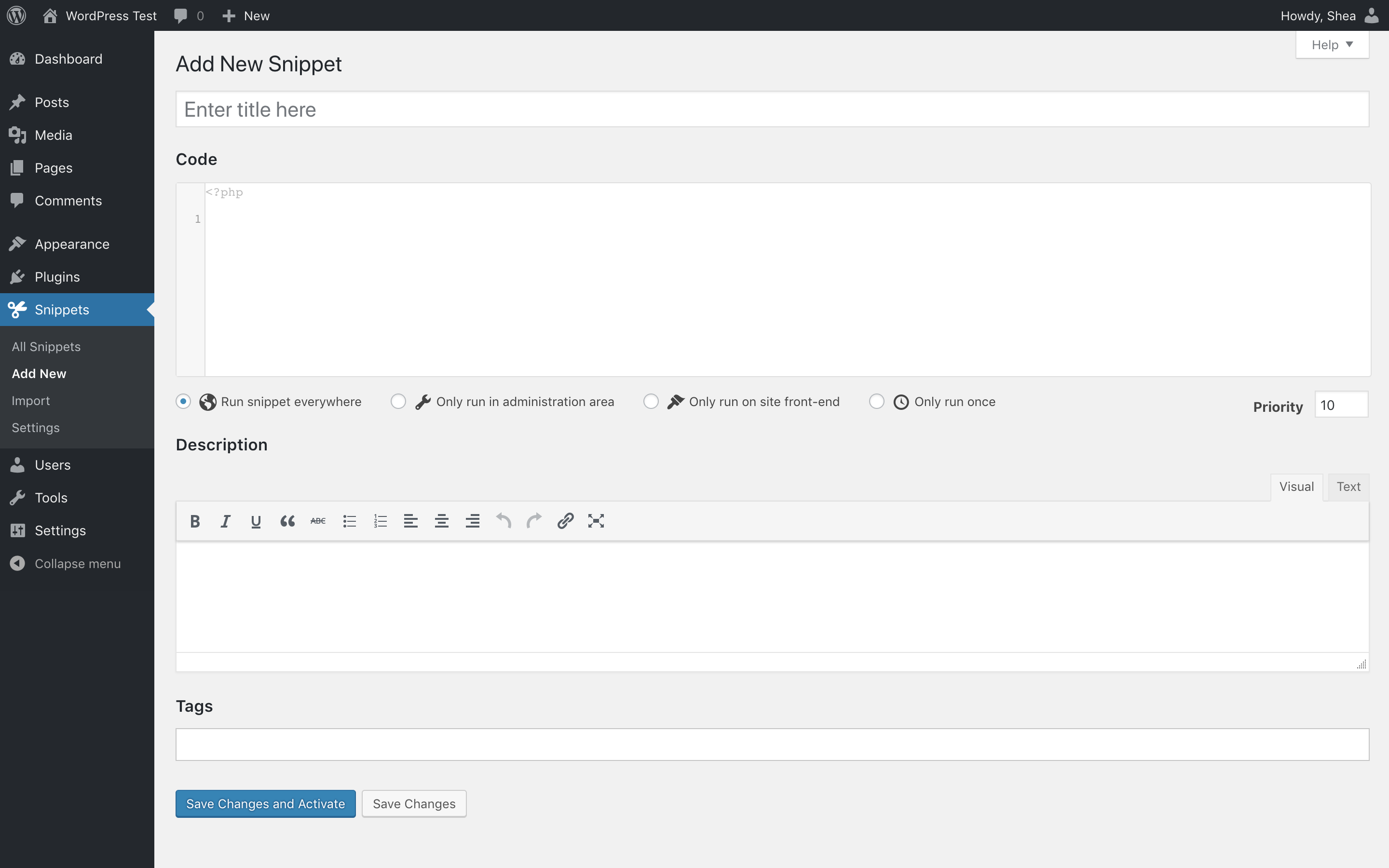
The basic (free) version allows you to inject PHP and HTML snippets. The PHP snippets run either on the front-end, back-end (admin section), or both, and the HTML snippets are injected into the body of the web page near the bottom before the body closing tag.
Here is one of the snippets I’ve written for the site - it simply sets the maximum number of products that appear on a tag page:
add_filter( 'loop_shop_per_page', function( $per_page ) {

    if ( is_product_tag() ) {
        return 96;
    }

    return $per_page;

}, PHP_INT_MAX );
This is the plugin I use and it’s been fantastic. I’ve made quite a few adjustments to the site using it. It’s rock-solid and does exactly what it says on the tin. The only drawback I’ve noticed is that there is no good way to track changes to the snippets. I’d like to have them in Git, but that is not an option.
Custom Plugins
The industrial-strength option for injecting custom code is to author your own plugin.
I’ve created my own plugin to add a product auditing feature to the admin portion of the site. I decided to use a plugin for this instead of a snippet because:
- The functionality is non-trivial.
- The code required would be unwieldy in a code snippet.
- I really wanted to learn plugin development.
This is where I’ve spent the majority of my time over the last month, and it has been instructive to say the least. As a bonus, I’ve (re)learned some PHP while developing. I’ve also had to dabble in new (to me) JavaScript, CSS, and PowerShell.
Writing a WordPress plugin doesn’t have to be as involved as the one I made - you can literally make one in a single file - but I really wanted to get well-versed in industry-standard PHP development.
The Future
I’ll probably be adding more tools functionality to this plugin, as well as moving some of the longer and multi-part code snippets into it to make them more manageable and get them into source control.
In doing so, I hope to learn even more about PHP and customizing WordPress.